


Syncing a new BMW key fob with your car is essential to ensure seamless access and optimal functionality. BMW’s advanced key fobs are not just simple keys; they are integrated devices designed to communicate directly with your car’s system for locking, unlocking, and starting.
Without proper syncing, a new key fob won’t be able to perform these vital functions, potentially leaving you with limited access to your vehicle. Whether you are replacing a lost key fob or adding an additional one as a spare, understanding how to sync a new BMW key fob with the car is crucial. This guide will walk you through the step-by-step process, providing clear and actionable instructions. By following these steps, you can ensure that your new key fob works seamlessly with your vehicle, maximizing both convenience and security for everyday use.
Understanding BMW Key Fob Programming
What Syncing Means
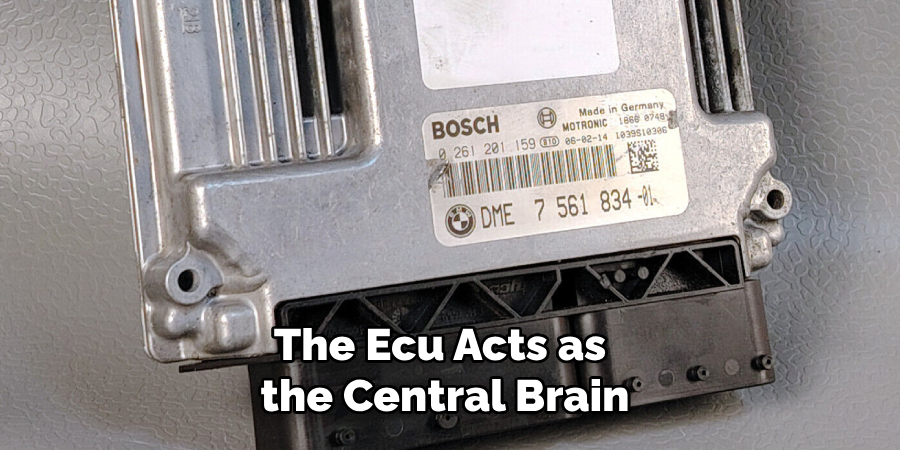
Syncing, in the context of a BMW key fob, refers to programming the key fob to communicate seamlessly with the car’s electronic control unit (ECU). The ECU acts as the central brain of your vehicle, processing signals sent by the key fob to perform functions like locking, unlocking, or starting the engine. The key fob cannot establish the necessary connection with the car without proper syncing, rendering it non-functional.
Scenarios Requiring Syncing
There are several situations where syncing a BMW key fob becomes necessary. These include replacing a lost or damaged key fob, adding a new key fob as a spare, or replacing the battery in your existing key fob. Additionally, key fobs may require re-syncing if there is an interruption in the connection, such as after ECU updates or electrical repairs to the vehicle.
BMW Models and Variations
BMW offers a wide range of models, and the syncing process can vary slightly depending on the car’s generation and technology. For instance, newer models equipped with Comfort Access or digital keys may have more streamlined syncing procedures than older vehicles. It’s essential to follow the instructions specific to your BMW model to ensure proper syncing and functionality.
Preparing for the Syncing Process
Before starting the syncing process, it’s important to take a few preparatory steps to ensure everything proceeds smoothly.
Verify Compatibility
Ensure the new key fob matches your specific BMW model and year. Not all key fobs are interchangeable, and using an incompatible fob will prevent successful syncing. You can verify compatibility by consulting your dealer or checking your vehicle’s specifications.
Gather Necessary Items
You will need a few items on hand to complete the syncing process. These include the working key fob (if you have one), the new key fob you wish to sync, and the vehicle itself. Having all these items readily available will streamline the process and avoid interruptions.
Ensure Adequate Battery Levels
Both the car and the key fob should have sufficient battery power to avoid disruptions during syncing. Check your car battery’s charge level and verify that the new key fob’s battery is fully functional. Replacing or charging batteries before starting the process is recommended when in doubt.
Locate the Owner’s Manual
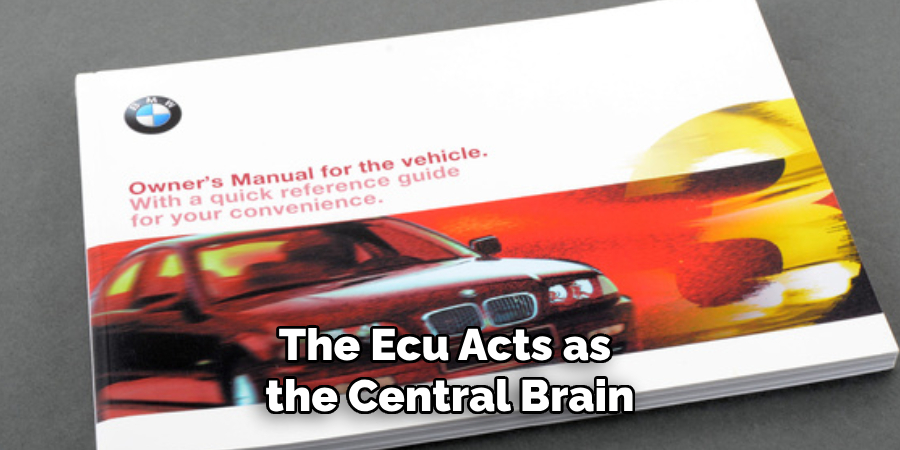
The BMW owner’s manual is valuable for model-specific instructions and troubleshooting tips. Keep it handy for reference, as it will provide details tailored to your vehicle’s configuration and technology. Following these preparatory steps will help ensure a seamless syncing process.
How to Sync a New BMW Key Fob with The Car: Step-by-Step Guide
Insert the Original Key (If Available)
Insert the original key into the ignition or place it near the start/stop button, depending on your BMW model. This step ensures the car recognizes an existing programmed key before pairing the new key fob.
Activate Key Fob Programming Mode
Turn the ignition to position 1, ensuring the engine does not start. For newer BMW models, enter programming mode by holding the “Unlock” button while pressing the “Lock” button three times on the original key. Listen for a chime or observe flashing lights to confirm the car has entered programming mode.
Pair the New Key Fob
Insert the new key into the ignition or place it near the start/stop button, depending on your model’s specifications. Repeat the same button sequence as before—hold the “Unlock” button and press the “Lock” button three times. The car should acknowledge pairing the new key fob with a chime or flashing lights.
Test the Key Fob
Test the newly paired key fob to verify successful syncing, and use it to lock, unlock, and start the car. Ensure all functions work correctly to confirm a successful pairing.
Troubleshooting Tips
If the pairing process fails, restart the programming steps. Double-check battery levels and ensure the key fob is compatible with your vehicle. If problems persist, consult your BMW owner’s manual or contact a BMW dealer for further assistance.
Using Advanced Key Fobs
Display Key Programming
BMW Display Keys, equipped with a touchscreen interface, offer enhanced functionality but require more intricate programming steps. Ensure the vehicle software is up-to-date, as outdated systems can hinder compatibility. Once the software updates are installed, enter the programming mode described in earlier sections. Place the Display Key in the wireless charging tray or designated area, as indicated in your vehicle’s manual. Follow the on-screen prompts on the key or your infotainment system to complete the syncing process. Additional software tools may be required, which are often only available at authorized BMW service centers.
Comfort Access Key Fobs
Comfort Access key fobs utilize proximity sensors that allow you to unlock, lock, and start your car while the key remains in your pocket or bag. These fobs demand special calibration steps to ensure proper functioning. After entering the programming mode, keep the key fob close to the driver’s side door handle or proximity sensor during pairing. The vehicle will automatically detect the fob and prompt you to complete the configuration through the infotainment system. Ensure there are no other wireless devices nearby that may cause interference.
Professional Assistance
Professional assistance is highly recommended for advanced key fob models, such as Display Keys and Comfort Access fobs. Visiting a BMW service center ensures proper programming and calibration using specialized tools and software that aren’t typically accessible to consumers. This guarantees full functionality and prevents potential issues.
What to Do If Syncing Fails
If syncing your BMW key fob fails, there are several steps you can take to identify and resolve the issue.
Common Reasons for Failure
Syncing issues can arise due to a variety of factors. A depleted key fob battery is one of the most common problems—ensure that the battery is fully charged or replace it with a new one. An incompatible or unprogrammed key fob can also prevent successful syncing. Additionally, interruptions during the programming process, such as interference from other electronic devices or losing connection to the vehicle, may fail.
Resetting the System
To address syncing problems, you can try resetting the car’s keyless entry system. Begin by turning off the vehicle and disconnecting the battery for a few minutes to reset the system. Reattach the battery and initiate the syncing process again by following the specific steps outlined in your BMW owner’s manual. This can often clear minor glitches preventing proper pairing.
Consulting a Dealer
If syncing still fails, contacting a BMW dealer is a wise next step. Dealers have the specialized tools and expertise to diagnose and resolve key fob issues. They can also verify whether the fob is compatible with your vehicle and perform professional syncing.
Replacing Faulty Components
Persistent syncing problems may indicate a faulty key fob or a car receiver malfunction. Consider replacing the key fob with a new, authorized one. If the issue lies within the car’s hardware, such as the receiver unit, have it inspected and repaired by a BMW service center to ensure the reliable operation of your vehicle’s keyless entry system?
Benefits of Syncing Additional Key Fobs
Convenience for Multiple Drivers
Syncing multiple key fobs ensures seamless use for families or shared vehicles. Each driver can have their own programmed key, allowing effortless access and personalized settings, such as seat and mirror positions, without needing to manually adjust them every time. This convenience enhances the overall driving experience for households with multiple users.
Enhanced Security
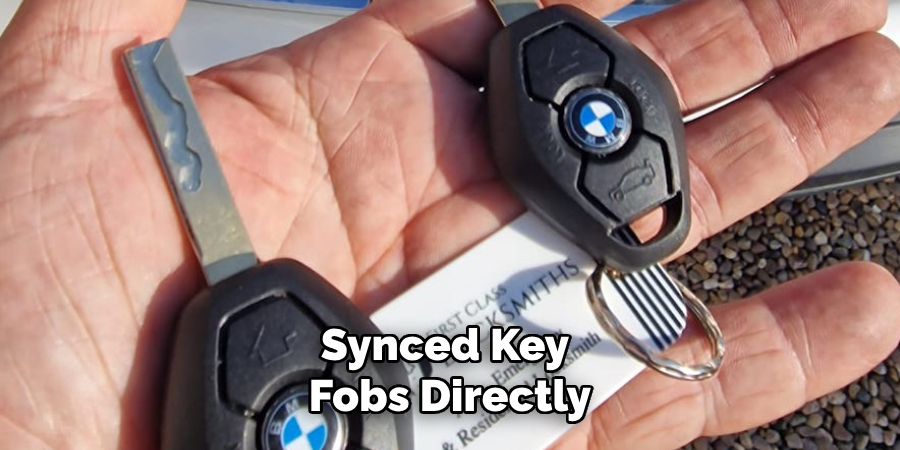
Synced key fobs directly improve vehicle security by limiting access to only programmed keys. Unauthorized or unprogrammed fobs cannot operate the vehicle, adding an extra layer of protection. This ensures that only trusted individuals can access and start the car, reducing the risk of theft or unauthorized use.
Backup Key Options
Having a synced spare key fob offers a practical solution in emergencies, such as misplacing your primary key. A backup key ensures that you can still access and operate your vehicle without delays or inconveniences, providing valuable peace of mind for drivers.
Preventing Future Key Fob Issues
Regular Maintenance
To avoid unexpected issues with your key fob, it’s important to perform regular maintenance. Check the battery levels periodically and replace them proactively to ensure uninterrupted functionality. A weak or dead battery can render your key fob inoperable at the most inconvenient times.
Avoid Physical Damage
Key fobs are sensitive devices that require careful handling. Protect your key fob from drops, water exposure, or extreme temperatures, as these can damage its internal components. A protective cover can also help extend its lifespan and safeguard it from accidental harm.
Keep Spare Keys Synced

To ensure you’re always prepared, sync all spare keys to your vehicle. This guarantees they are ready for use in case your primary key fob is lost or malfunctions. Regularly testing spare keys also verifies they remain functional and compatible with your car.
Updating the Vehicle System
Another crucial step is to keep your vehicle’s keyless entry system up to date. Periodic software updates the manufacturer provides help maintain compatibility with your key fobs and can address any potential performance issues. Staying current with updates ensures smooth and hassle-free operation of your car’s advanced systems.
Conclusion
Syncing a new BMW key fob is a crucial step to ensure seamless access and proper vehicle functionality. Following the step-by-step process of how to sync a new BMW key fob with the car guarantees that your key works efficiently, minimizing potential inconveniences. Don’t hesitate to seek professional assistance if needed, as this can help prevent errors and avoid frustration. Proper syncing enhances security and provides superior convenience and peace of mind. By taking these steps, you can maintain a reliable and effortless connection with your vehicle, ensuring smooth operation for years to come.

About
Safety Fic is a distinguished figure in the world of Diy design, with a decade of expertise creating innovative and sustainable Diy solutions. His professional focus lies in merging traditional craftsmanship with modern manufacturing techniques, fostering designs that are both practical and environmentally conscious. As the author of diy, Safety Fic delves into the art and science of Safety Fic-making, inspiring artisans and industry professionals alike.
Education RMIT University
(Melbourne, Australia) Associate Degree in Design (Safety Fic) Focus on sustainable design, industry-driven projects, and practical craftsmanship. Gained hands-on experience with traditional and digital manufacturing tools, such as CAD and CNC software.
Nottingham Trent University
(United Kingdom) Bachelor’s in diyfastly.com and Product Design (Honors) Specialized in product design with a focus on blending creativity with production techniques. Participated in industry projects, working with companies like John Lewis and Vitsoe to gain real-world insights.
Publications and Impact
In diy, Safety Fic his insights on indoor design processes, materials, and strategies for efficient production. His writing bridges the gap between artisan knowledge and modern industry needs, making it a must-read for both budding designers and seasoned professionals.